AM2: A Terminal Dashboard for Coding Agents
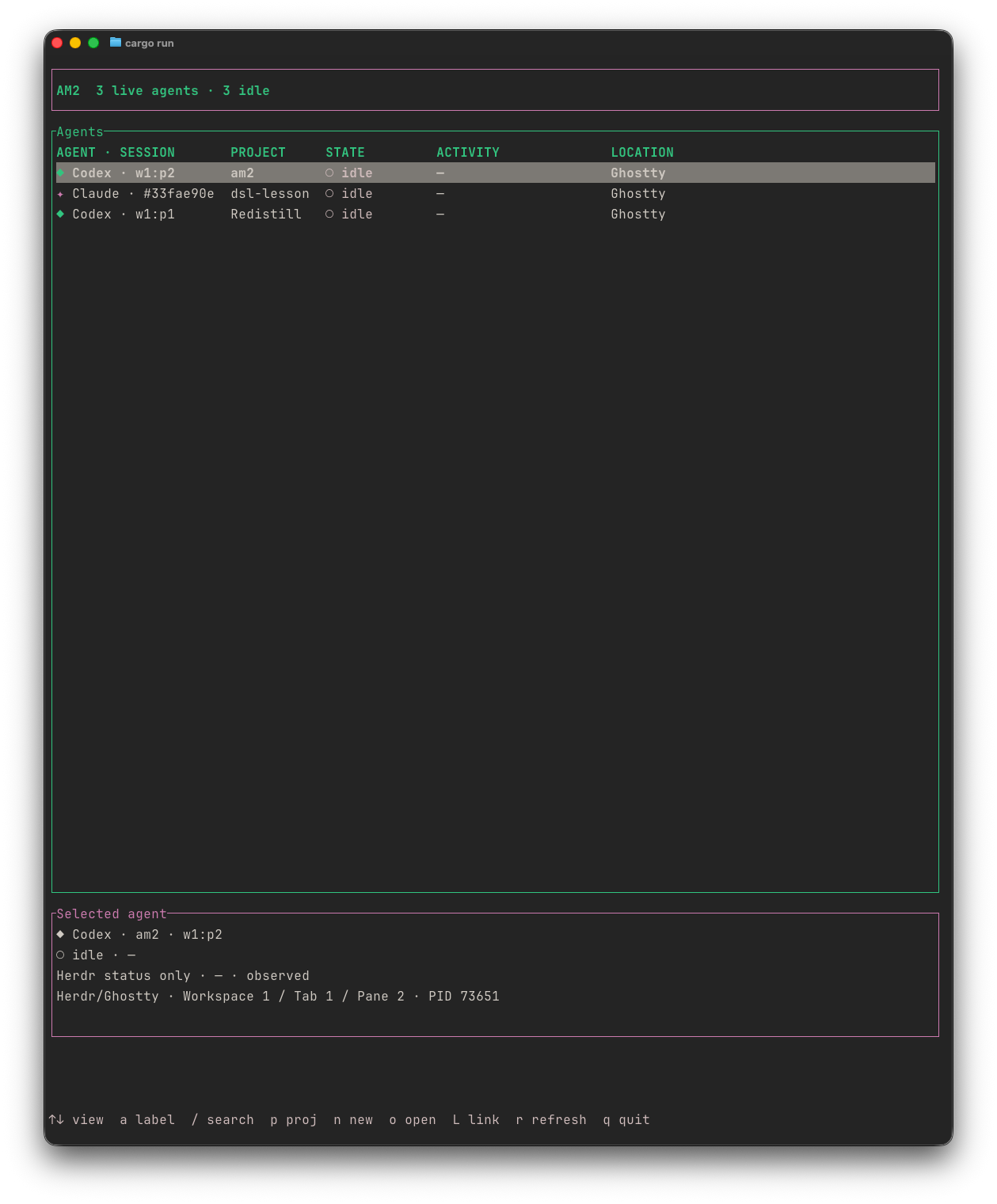
AM2 puts coding agents running across macOS terminals into one dashboard. It discovers local Codex, Claude, OpenCode, Pi, Gemini CLI, and Cursor Agent processes. Herdr is optional: when available, it adds pane status, recent output, and direct pane navigation.
I built AM2 in Rust with a terminal interface for tracking agents, inspecting their context, and starting a new agent in a project.
Why I built it
When several coding agents are running in different projects and terminal windows, the hard part is remembering which session is where and what it was doing. AM2 gives me one place to find them and return to the right terminal.
How it works
AM2 scans local processes, so its agent list works without Herdr. It merges Herdr and local observations when both see the same process. The dashboard groups agents by project and agent type, shows their location, and keeps the list stable as their state changes. Where evidence is limited, it shows an unknown state instead of guessing.
The Projects view groups live agents by Git repository. It shows the branch, changed-file count, latest commit, and agent context using bounded, read-only Git commands. The dashboard can also launch an agent in a new Herdr pane, Ghostty window, Terminal.app window, or iTerm2 window.
For supported agents, AM2 reads local saved Codex, Claude, and Pi conversations. Search brings live agent metadata and saved events together with SQLite FTS5. Saved history is read from local files; transcript text is not stored in AM2’s on-disk database or sent to a network service.
A useful distinction
AM2 separates what it can observe live from what it finds in saved sessions. A recent conversation entry is evidence that a file was written, not proof that an agent is still working. Herdr output and terminal screen previews are limited snapshots, not complete conversation records.
Get started
AM2 is available for Apple Silicon and Intel Macs through GitHub Releases. After installing, run am2 doctor to check local process tools and optional integrations, then run am2 to open the dashboard. The README has installation instructions and the full key reference.